 RugberryGet Rugberry
Hide the icons.
Keep the files.
Use macOS settings to hide desktop items, or put a movable rug over part of the desktop. The choice is about how you want to reach them again.
From the Rugberry team · Updated 3 November 2026
For a desktop-wide option, start with macOS.
Apple provides a desktop-item visibility setting on recent versions of macOS. You may not need another app.
- Open System Settings → Desktop & Dock.
- Under Desktop & Stage Manager, find Show Items and turn off On Desktop.
- Turn it back on when you want desktop items shown again. Depending on your settings, clicking the desktop can also show hidden items.
Labels and behavior can differ by macOS version. Apple's Desktop & Dock guide has a version selector. The separate Show Desktop setting moves windows aside; it is a different choice from desktop-item visibility.
For a cover you can lift, use a rug.
Rugberry leaves your files in place and puts a visual cover over part of the desktop. Lift a corner to reach what is underneath, or switch the rug off in the menu bar to reveal the desktop.
Textile gives you ten rendered rug designs. Invisible matches a supported static wallpaper, with folds that let you see the cover. Rugberry shows one cover on one display at a time.
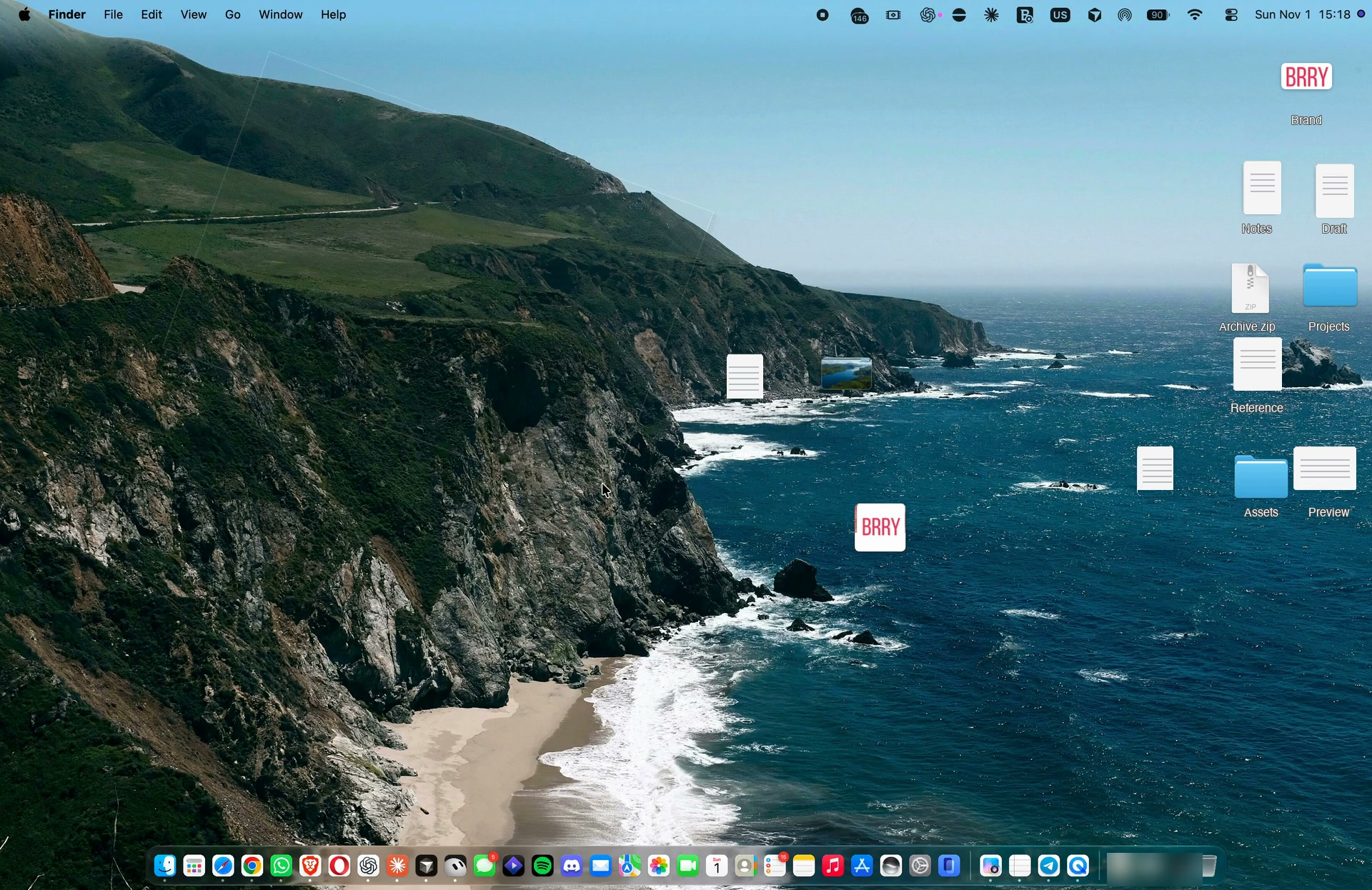 Watch the real Invisible recording
Which fits your desktop?
| What matters | macOS setting | Rugberry |
|---|---|---|
| What changes | Desktop-item visibility across the desktop | A cover over a chosen part of the desktop |
| Reaching your files | Show items again using macOS controls | Lift a corner, or switch the rug off |
| Visual choice | Your desktop with items hidden | Textile designs or an Invisible wallpaper cover |
| Cost | Included with macOS | Free preview inside the app window; US$4.99 lifetime unlock for desktop use. Local prices vary. |
Before you choose Invisible
Invisible needs a readable, supported static wallpaper image, and Rugberry may ask for access to it. A background that works in the app-window preview does not by itself confirm access for the desktop cover. See wallpaper setup and recovery if the cover is not showing.
Rugberry requires macOS 14 or later and a Metal-capable Mac. Textile and Invisible share the same lifetime unlock; existing owners do not buy Invisible again. You can download Rugberry from the Mac App Store and try the interaction inside its app window before unlocking desktop use.
Both approaches are about appearance. A visual cover is not confidential storage or a guarantee that information stays hidden in a screenshot or screen recording. Keep private material out of anything you plan to share.